




Logo
The Invisible Architecture: How STP Eliminates Loop-Induced Downtime2026-05-25

The Invisible Architecture: How STP Eliminates Loop-Induced Downtime

Most people never think about how their network works until something suddenly goes wrong. One minute the Wi-Fi is working perfectly. The next minute, payment systems stop responding, smart TVs disconnect, printers fail, and internet access becomes painfully slow or disappears completely. In many cases, the problem can be caused by something surprisingly simple: an Ethernet loop.

What Is an Ethernet Loop?

An Ethernet loop happens when there are multiple active paths connecting parts of the same network. At first, having extra connections may sound helpful because they provide backup paths if one cable fails. However, without proper control, these extra connections can create a situation where data keeps circulating endlessly through the network.

To understand why this happens, it helps to first understand how switches work.

How Network Switches Work

A network switch is a device that connects computers, printers, Wi-Fi access points, payment terminals, and other devices inside the same network. Every device has a unique hardware identifier called a MAC address, similar to how every house has its own street address. When data moves through the network, the switch learns where devices are connected and remembers which port leads to each device. This allows the switch to send information directly to the correct destination.But sometimes the switch does not yet know where a device is located. When this happens, it sends the data to every connected port to try and find the destination.

Normally, this works perfectly.

The problem starts when there is a physical loop in the network.

Why Ethernet Loops Are Dangerous

If two switches are connected in a way that creates a loop, data can begin traveling in circles forever. Unlike some internet traffic, local network traffic does not automatically expire. This means the same data can keep circulating repeatedly. As the traffic multiplies, the network becomes overloaded very quickly.

This can cause:

  • 1. Extremely slow internet and network performance
  • 2. Frozen payment systems
  • 3. Wi-Fi outages
  • 4. Devices disconnecting unexpectedly
  • 5. Entire network failures

One of the biggest dangers is something called a broadcast storm.

A broadcast storm happens when the network becomes flooded with repeated traffic, similar to a traffic jam spreading across every road in a city. Eventually, the network becomes too busy to handle normal communication. Another issue is MAC address flapping, where the switch becomes confused because the same device appears to exist in multiple places at once. As a result, the switch struggles to send traffic correctly.

How to prevent the loops  

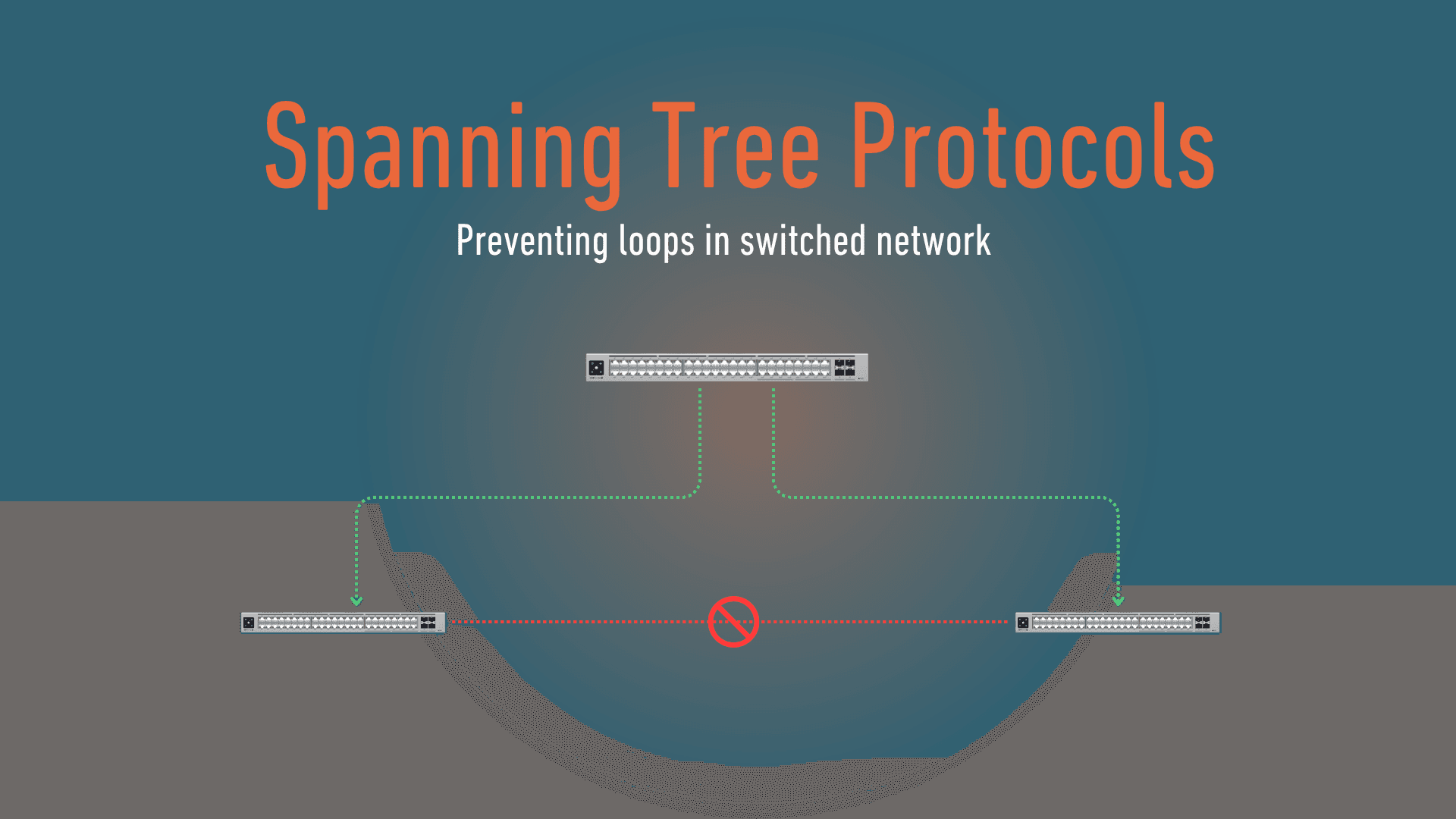
To prevent these problems, networks use a technology called the Spanning Tree Protocol (STP). STP is a built-in safety system used in managed network switches. Its main job is to detect loops and stop them before they damage the network.

STP works by allowing switches to communicate with each other using small control messages called Bridge Protocol Data Units (BPDUs). These messages help the switches understand the network layout. One switch is selected as the main reference point for the network the switch is then called a Root Bridge. The other switches then figure out the best path to reach it. If STP detects multiple possible paths that could create a loop, it automatically disables one of them. The cable still remains connected physically, but the switch temporarily stops sending traffic through that path unless it is needed later as a backup. This creates a stable, loop-free network while still keeping backup connections available.

Variations of STP over the years, networking standards have evolved to make spanning tree process faster and more efficient. The variations include:

  • ·       STP (Spanning Tree Protocol) - The original version. It works well but can take some time to react when network changes happen.
  • ·       RSTP (Rapid Spanning Tree Protocol) - A much faster version that can detect and fix problems within seconds.
  • ·       MSTP (Multiple Spanning Tree Protocol) - An advanced version used in larger networks with multiple virtual networks (VLANs).

Today, most modern business networks use RSTP because it responds quickly and minimizes downtime.

How STP solves the ethernet lops in the real world 

Imagine a busy coffee shop that relies on its network for: card payments, customer Wi-Fi, smart speakers, and digital menu screens.

At first, the shop uses a basic unmanaged network switch with no loop protection features. One day, a staff member installs a smart speaker that supports both Wi-Fi and wired Ethernet connections. Without realizing it, the employee connects the speaker to the network using an Ethernet cable while the speaker is still connected to the Wi-Fi access point wirelessly. This accidentally creates two active paths into the same network. Within seconds, the network starts behaving strangely. Card payments begin timing out. Customer Wi-Fi becomes painfully slow. Music starts cutting in and out, and the digital menu screens freeze randomly. The staff assume the internet provider is having problems. But the real issue is happening inside the local network. The speaker has unintentionally created a network loop. Traffic begins circulating endlessly between the switch and the wireless access point, overwhelming the entire network.

After repeated downtime issues, the coffee shop upgrades to a managed UniFi setup using devices such as the UniFi Switch Lite 8 PoE or the UniFi Switch 24 PoE together with access points like the UniFi U6 . These switches support Rapid Spanning Tree Protocol (RSTP), a feature designed to detect and prevent network loops automatically. A few weeks later, another employee accidentally repeats the exact same mistake. This time, however, the network continues working normally. The UniFi switch quickly detects the redundant connection and automatically blocks one of the traffic paths before the loop can spread through the network. Customers continue browsing the internet. Payments keep processing. Music keeps playing. No one even realize that a serious network outage was prevented automatically.

Why STP Matters

Modern networks increasingly rely on smart devices that can connect through both wired and wireless connections at the same time. Without technologies like STP or RSTP, even a simple cable mistake or poorly configured device can bring down an entire network. That is why managed switches with loop protection features have become an important part of modern business networks.

Leave a Reply

Your email address will not be published. Required fields are marked *

Countries Of Operation

Simplifi Networks is Master Distributor of networking and communications equipment in the following countries:

KENYAUGANDATANZANIARWANDABURUNDIDRCSOUTH SUDANSOMALIASOMALILANDERITREADJIBOUTIETHIOPIAMALAWIZANZIBARSEYCHELLESMAURITIUSCOMOROSMADAGASCARMOZAMBIQUEGAMBIASENEGALGHANACENTRAL AFRICAN REPUBLICKENYAUGANDATANZANIARWANDABURUNDIDRCSOUTH SUDANSOMALIASOMALILANDERITREADJIBOUTIETHIOPIAMALAWIZANZIBARSEYCHELLESMAURITIUSCOMOROSMADAGASCARMOZAMBIQUEGAMBIASENEGALGHANACENTRAL AFRICAN REPUBLIC